Case study 01
AFIF — Protecting Innocence
How do you build a child safety app that children actually trust?
2
Apps designed
100%
Design ownership
Live
Google Play
2023
Launched
01 — The problem
Parents had no middle ground between ban the phone and trust blindly
The client came to me with a simple ask: build a parental control app for Mobile experience. When I dug in, the actual problem was different. Parents weren't struggling with technology, they were struggling with trust. The existing apps solved the wrong thing: they gave parents control, but destroyed the parent-child relationship the moment kids discovered them.
02 — My role
I owned everything — and that was the point
This was a freelance engagement with full design ownership. I handled brand identity, logo re-design, information architecture, UX flows, UI design, and the component system — across two separate apps built for entirely different emotional contexts. No handoff to another designer. No design review cycle. Just me, the client, and the problem.
03 — The hard decision
I pushed back on the brief — and built two apps instead of one
The moment
The original brief was one app: for the parent. Most parental control products are built this way & the child never sees them, never consents, and eventually discovers them. I told the client I didn't want to build that. I made the case for transparency: a second app the child uses too, that shows them exactly what their parent can see. The client pushed back on the added scope. I held the position; because I believed the transparency wasn't just an ethical choice, it was the product strategy.
04 — What we built
Two apps. One shared system. Complete transparency by design.
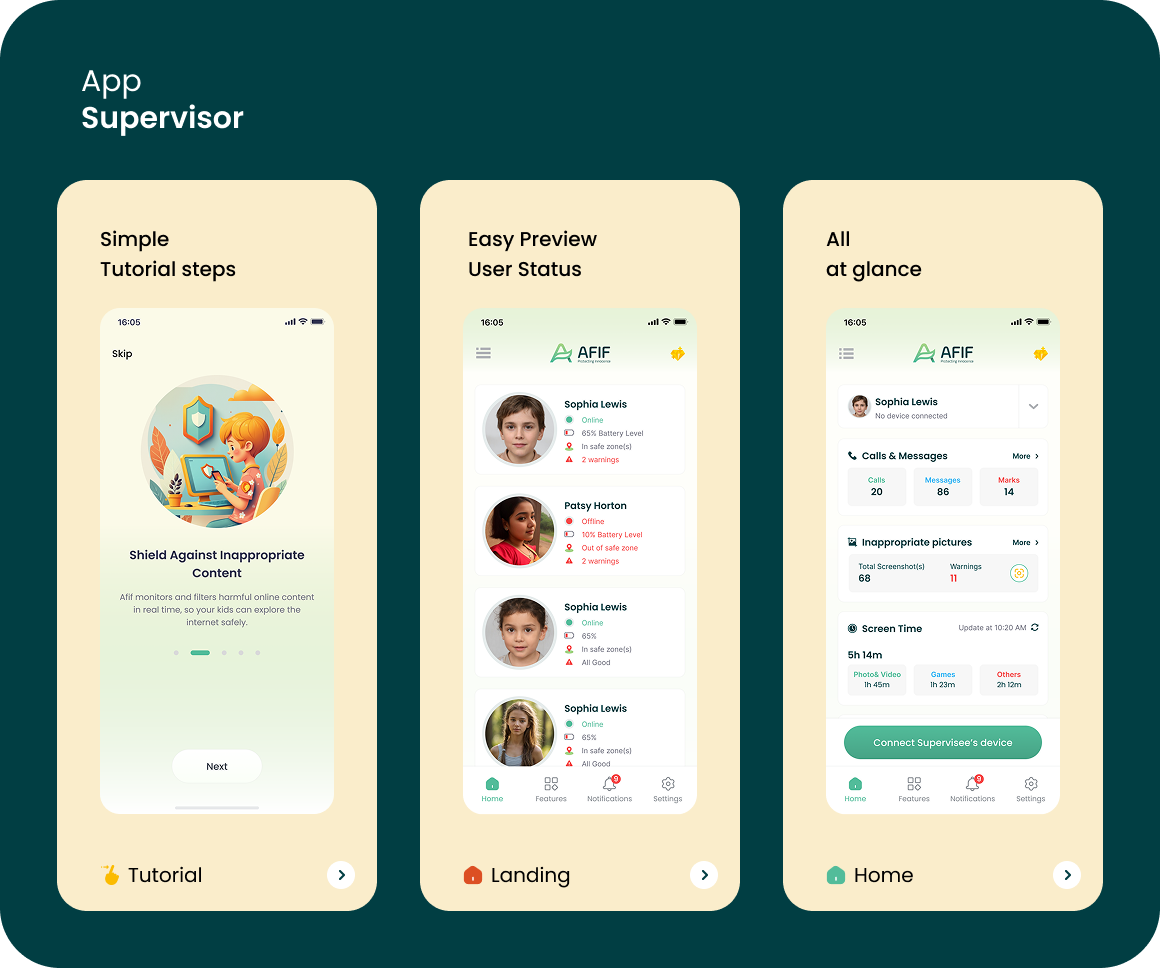
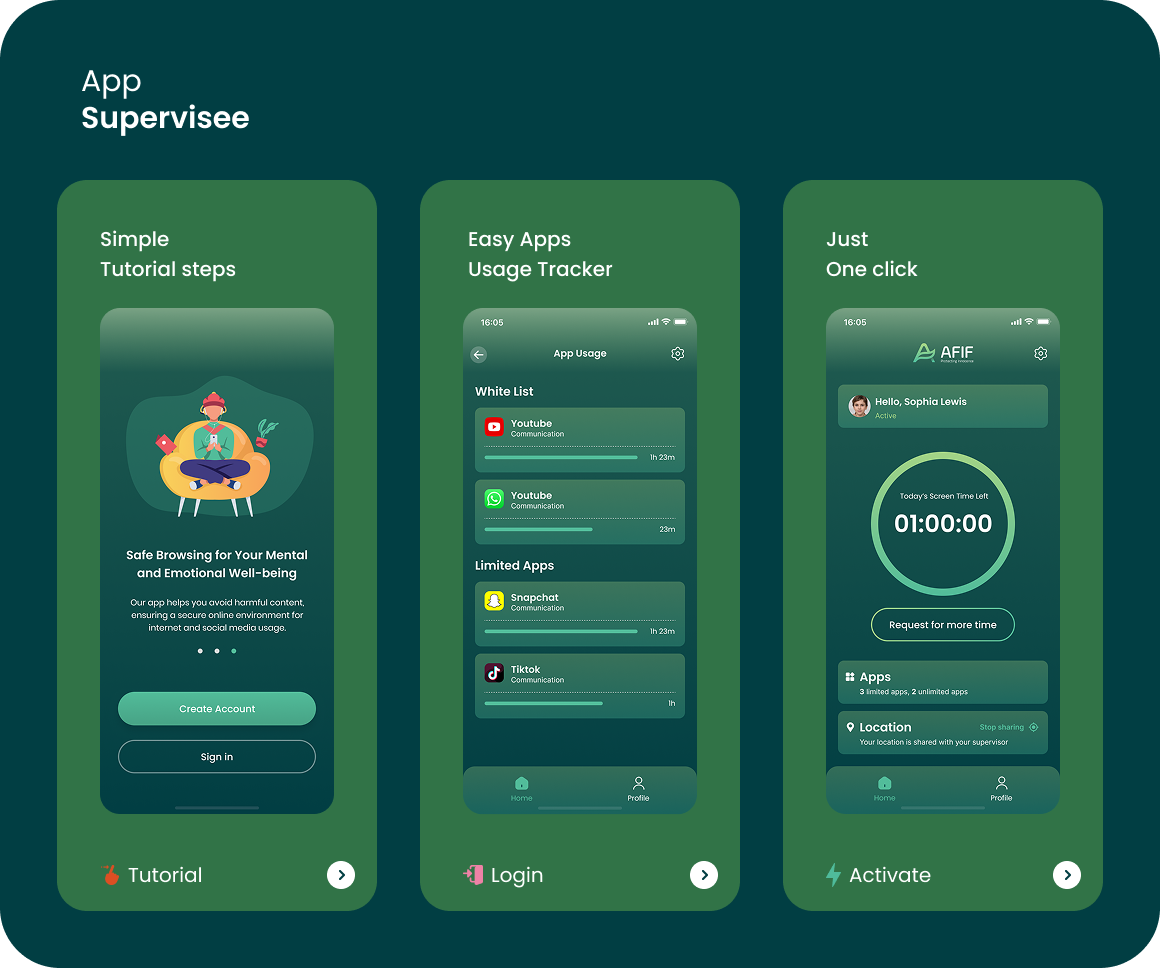
The supervisor app gave parents a real-time dashboard: child location, battery level, activity alerts, and content warnings — all designed for quick triage. The supervisee app opened with a transparent onboarding flow that explained, clearly and simply, what the parent could see. No hidden features. No surprises. The child's consent was built into the activation flow.
Parent dashboard
At-a-glance view of all children — location, battery, warnings, and online status in one screen.
Transparent onboarding
The child's app explains what the parent can see before activation — consent built into the flow.
05 — The result
Shipped, live on Google Play, and still running
Live
Google Play Store
2
User types served
100%
Solo design ownership
06 — What I learned
The best design decision I made wasn't about layout or color
“Pushing back on the brief cost us scope and time. But it gave the product a reason to exist that the competition didn't have. Surveillance tools are a commodity. Trust-building tools are rare. The decision to design for transparency wasn't just ethical — it turned out to be the competitive angle we hadn't planned for.”